Vibe Coding: What It Is and Why Developers Love It
Vibe coding is the AI-assisted development style taking over the developer world. Learn what it is, why it works, which tools power it, and how to adopt it without sacrificing code quality.
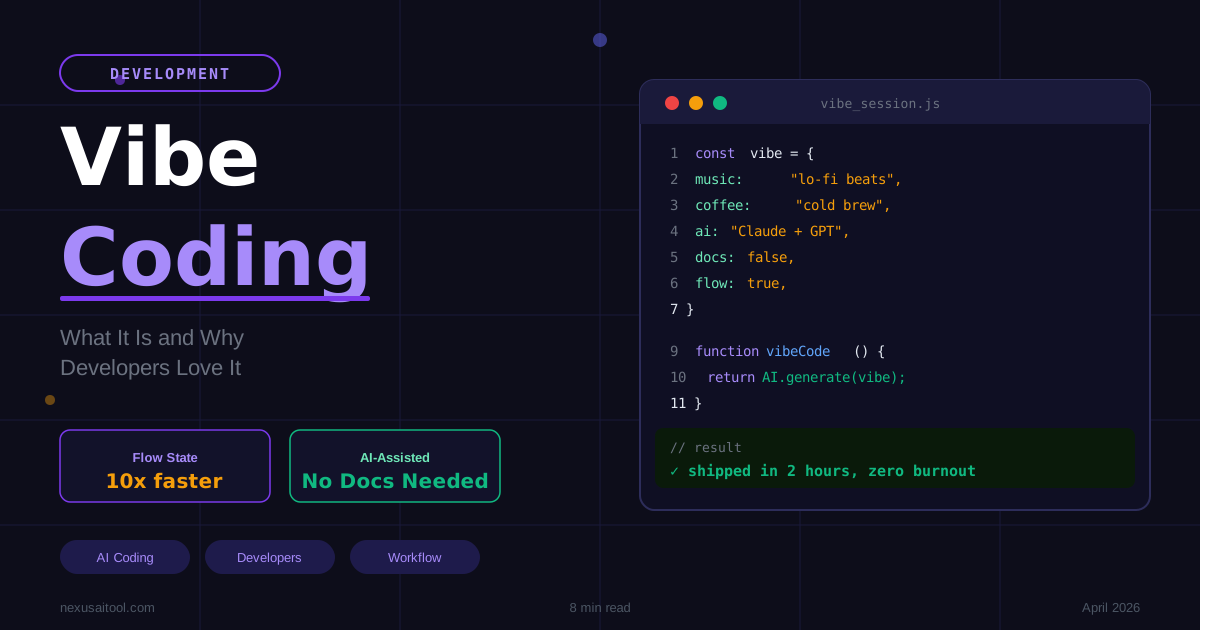
Vibe Coding: What It Is and Why Developers Love It
There is a phrase spreading fast through developer circles in 2026: vibe coding. If you have seen it on social media, heard it on a podcast, or watched a developer ship a full SaaS product in a weekend livestream, you have already encountered the movement. But what does vibe coding actually mean? Why are experienced engineers embracing it alongside beginners? And should you be doing it?
This guide covers everything — the origin, the philosophy, the tools, the workflow, and the honest tradeoffs.
What Is Vibe Coding?
Vibe coding is a style of software development where the developer describes what they want in plain language and lets an AI assistant generate the code. Instead of writing every function manually, the developer guides the AI, reviews the output, refines it through conversation, and ships working software faster than traditional methods allow.
The term was popularized by Andrej Karpathy, former director of AI at Tesla and co-founder of OpenAI, who described a mode of working where you "fully give in to the vibes" — meaning you lean on AI so completely that you barely write code yourself. You describe the goal, you iterate on the result, and the AI handles the syntax.
The name stuck because it captures something real. Vibe coding feels different from traditional development. It is faster, more conversational, more experimental, and often more fun. The cognitive load shifts from "how do I implement this?" to "what do I actually want to build?"
Why Developers Love It
1. Speed That Changes What's Possible
The most immediate benefit is raw speed. A feature that once took a full sprint can be prototyped in an afternoon. An MVP that would have required a team can be tested as a solo project over a weekend.
This speed compounds. When you can ship and test ideas faster, you learn faster. You stop spending time on features that don't work and double down on what does. The Stack Overflow Developer Survey consistently shows that developer time is disproportionately lost to boilerplate, documentation lookup, and debugging — all areas where AI assistance creates immediate leverage.
2. Flow State Without Friction
Traditional development has a painful rhythm. You get momentum, then you hit a wall looking up syntax, wrestling with a library, or debugging a cryptic error. You lose the thread.
Vibe coding compresses those friction points. When the AI generates the boilerplate and surfaces the bug explanation in seconds, you stay in flow longer. The cognitive bandwidth you would have spent on syntax is free to focus on product decisions, user experience, and architecture.
3. Lowered Barrier to Building
Vibe coding is not just for senior engineers. It has opened up real software development to product managers, designers, marketers, and founders who had ideas but not the technical depth to execute them alone.
This is significant. Some of the most interesting new products in 2025 and 2026 have come from non-traditional developers who used AI coding tools to build things they could not have built before. The barrier between "I have an idea" and "I have a working product" has never been lower.
4. Better Exploration and Prototyping
When the cost of trying something drops dramatically, you try more things. Vibe coding encourages a more experimental development culture. You can generate five approaches to a problem, compare them, and pick the best one — all in less time than it would have taken to fully implement a single approach manually.
For teams doing early-stage product development, this exploration phase is where vibe coding creates the most value.
The Best Tools for Vibe Coding in 2026
The quality of your vibe coding experience depends heavily on the tools you use. Here are the ones leading the space:
Cursor AI
Cursor is arguably the most popular dedicated vibe coding IDE. Built on top of VS Code, it integrates AI at every level — inline completions, chat, codebase-aware generation, and multi-file edits. Cursor's "Composer" feature lets you describe a task and watch it modify multiple files simultaneously. For developers who want to stay in a familiar environment with AI deeply integrated, Cursor is the go-to choice.
GitHub Copilot
GitHub Copilot remains the most widely adopted AI coding assistant, with tight integration across VS Code, JetBrains, and the GitHub web interface. Copilot's inline suggestions are particularly powerful for experienced developers who want AI to fill in the blanks rather than take over entirely. The Copilot Chat feature also enables a more vibe-coding-style conversational interaction.
Claude AI
Claude by Anthropic excels at longer, more nuanced coding tasks — architecture decisions, debugging complex systems, writing clean and well-documented code, and explaining what generated code actually does. Claude's large context window (up to 200K tokens) means it can hold an entire codebase in context. For full-stack or backend-heavy projects, Claude is particularly strong. Read our full breakdown in Claude AI Explained: Architecture, Features & Real Use Cases.
ChatGPT
ChatGPT from OpenAI is the most widely recognized AI assistant and a solid general-purpose vibe coding tool. GPT-4o handles most coding tasks reliably and the Canvas feature allows direct code editing within the chat interface. For developers who already live in the ChatGPT ecosystem, it integrates naturally into vibe coding workflows.
Bolt.new
Bolt.new from StackBlitz takes vibe coding furthest by letting you generate, run, and deploy full-stack applications entirely in the browser. Describe an app, watch it build in real time, and push it live — no local environment required. Bolt is particularly powerful for rapid prototyping and non-technical founders getting a first product out the door.
How to Vibe Code: A Practical Workflow
Understanding the philosophy is one thing. Here is how to actually do it well.
Step 1: Start With a Clear Prompt
Vibe coding works best when your prompt is specific about what you want, not how to build it. Instead of "write a React component," try "create a responsive pricing table component with three tiers, a highlighted recommended plan, and a toggle for monthly/annual billing."
The more context you give about the user experience and business logic, the better the output. If you are building a real product, describe it the way you would to a new hire on their first day.
For prompt frameworks that translate well to vibe coding, see our 10 AI Prompts That Will Change Your Life guide.
Step 2: Review and Understand the Output
This is where vibe coding gets nuanced. The single biggest risk in vibe coding is shipping code you do not understand. An AI can generate working code that has subtle bugs, security issues, or architectural problems that only become apparent later.
The review step is not optional. Read the generated code. If something is unclear, ask the AI to explain it. You do not need to understand every line at the level of a compiler, but you should understand what the code is doing and why.
For a deeper look at how AI fits into a production content workflow — including review steps — see AI Content Creation Workflow 2026.
Step 3: Iterate Conversationally
Vibe coding is a dialogue, not a single prompt. When the output is close but not quite right, describe what needs to change. "The spacing is off on mobile — add more padding on small screens." "This function is too slow for large datasets — can you optimize it?" Each round of feedback tightens the output.
This is where experience helps. Developers with strong mental models of how software works are better at spotting what needs fixing and describing it clearly. Vibe coding amplifies existing skill — it does not replace the need to understand what you are building.
Step 4: Test Before You Ship
AI-generated code needs the same testing discipline as manually written code. The AI does not know your users, your edge cases, or your production environment. Run your test suite. Try the feature in a real browser. Test on mobile. Check the console for errors.
If you are working with Python automation or backend scripts, our Python AI Automation Beginners Guide covers how to integrate AI-generated code responsibly into automated workflows.
Step 5: Refine and Consolidate
After a vibe coding session, take time to review the broader codebase. AI-generated code can accumulate inconsistencies — slightly different naming conventions, redundant functions, or duplicated logic. A short consolidation pass after each session keeps the codebase clean and maintainable.
The Honest Tradeoffs
Vibe coding is powerful, but it is not without real limitations. Understanding these will help you use it well rather than getting burned.
Code Quality Varies
AI models are trained to produce code that looks correct, but correctness and quality are not the same thing. Generated code may work while being inefficient, over-engineered, or inconsistent with your existing patterns. The review step and consolidation habits above exist to manage this directly.
Security Requires Attention
AI-generated code can introduce security vulnerabilities — SQL injection risks, insecure handling of user input, missing authentication checks, and similar issues. For any code handling user data or authentication, a dedicated security review is non-negotiable. Tools like GitHub's code scanning can help catch issues automatically.
Dependency on AI Access
Vibe coding workflows that lean heavily on AI tools create a dependency. If a tool goes down, changes its pricing, or changes its behavior, your workflow is affected. Most experienced vibe coders maintain enough baseline coding skill to work independently when needed.
Learning Can Slow Down
For junior developers, there is a real risk that vibe coding short-circuits learning. Understanding why code works — not just that it works — matters for building the judgment needed to catch AI errors and design better systems. If you are early in your development career, balance vibe coding with deliberate learning.
Who Should Try Vibe Coding?
Experienced developers will find vibe coding compresses the tedious parts of their work — boilerplate, repetitive patterns, debugging common errors — and frees them for the parts that actually require judgment and creativity.
Freelancers and indie hackers can use vibe coding to dramatically increase output without increasing cost. For building client projects, MVPs, and SaaS products faster, it is a genuine competitive edge. Our Freelancer AI Tools Guide 2026 covers the broader toolkit.
Product managers and founders can use vibe coding to build functional prototypes without a full engineering team, validate ideas faster, and have more informed conversations with developers about what they are building.
Beginners can use vibe coding to see working software quickly, which builds motivation and context. But they should pair it with structured learning so they understand what the AI is generating.
Comparing the AI Models for Vibe Coding
If you are not sure which AI to use as your primary vibe coding assistant, the choice depends on your use case. Our ChatGPT vs Claude vs Gemini 2026 comparison covers the differences in depth, but here is the short version:
- Claude is best for complex, multi-file projects where you need precise, well-explained code and strong architectural reasoning.
- GPT-4o is the strongest all-rounder for mixed tasks — coding, explanation, and content together.
- Gemini integrates well with Google Workspace and suits teams already in the Google ecosystem.
- Cursor (which can use any of the above) is the best dedicated environment when you want AI built directly into your IDE.
Getting Started Today
You do not need to overhaul your entire workflow to start vibe coding. Start small. Pick one task you are working on today — a component you need to build, a function you need to write, a bug you need to debug — and try describing it to Claude, ChatGPT, or Copilot in plain language. Watch what it generates. Ask it to explain anything you do not understand. Iterate from there.
The shift in how software gets built is already underway. Vibe coding is not a trend that is going to disappear — it is the early shape of how development will work for the next decade. The developers who get comfortable with it now will have a significant advantage as the tools get even better.
Explore the full suite of AI tools at NexusAI to find the assistants that fit your stack, your workflow, and your goals.
The Bigger Shift Vibe Coding Represents
Vibe coding is not a productivity hack. It is a signal about where software development is heading. When the gap between an idea and a working prototype shrinks from weeks to hours, what changes is not just speed — it is who can build, what gets built, and how fast teams can learn and iterate. The developers who understand this shift early, and who learn to direct AI with clarity and intention, will be the ones shaping what comes next. The vibe is just the beginning.