How to Build a Faceless YouTube Channel Using Only AI in 2026
Want to earn passive income on YouTube without ever showing your face or spending a dime? Here is the exact AI-powered workflow that works in 2026 — from niche selection to monetization.
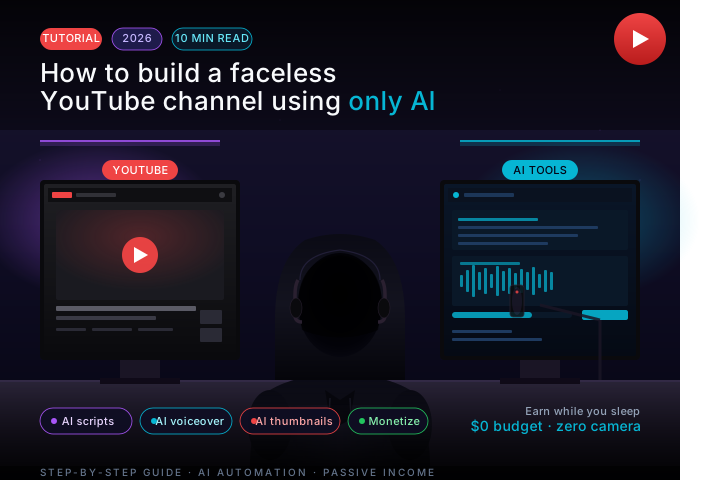
You Don't Need a Camera. You Don't Need a Face. You Need the Right AI Stack.
In 2026, thousands of creators are quietly pulling in $1,000–$10,000 per month from YouTube channels that never once show a human face. No studio lighting. No editing degree. No expensive gear. Just a laptop, free AI tools, and a repeatable process.
This guide breaks down the exact workflow — step by step — so you can go from zero to a monetized channel as fast as possible.
Step 1 — Pick a Niche That AI Can Actually Dominate
Not every niche works for faceless AI channels. You want topics where:
- Information matters more than personality (finance, history, tech explainers, self-improvement, true crime)
- Search volume is steady, not trend-dependent
- Competition is real but not dominated by major media brands
Best faceless niches in 2026:
- Personal finance and investing basics
- AI tool reviews and tutorials
- Historical documentaries and "untold stories"
- Motivational / self-improvement compilations
- Language learning and study tips
- Tech news explained simply
Pro tip: Use a tool like VidIQ or TubeBuddy to find keywords with 10,000–100,000 monthly searches and fewer than 50 strong competing videos. That's your sweet spot.
Step 2 — Generate Your Script with AI (Claude or ChatGPT)
Your script is everything. A great script = good watch time = algorithm loves you. Here's the prompt framework that works:
"Write a YouTube video script about [topic] for an audience of [target viewer]. The video should be 8–10 minutes when read aloud at a conversational pace. Start with a powerful hook that creates curiosity without giving away the answer. Use short paragraphs. Make it feel personal and direct, like a knowledgeable friend explaining something — not a textbook."
After generating, run it through Claude and ask it to:
- Remove any filler phrases ("In today's video we will...")
- Add a story or relatable example in the first 60 seconds
- End with a soft CTA (subscribe, watch next video)
A polished 1,500-word script takes about 15 minutes with AI. Before AI, that was a 3-hour job.
Step 3 — Create an AI Voiceover
This is the step that scared people off three years ago. Now it's easy and sounds genuinely human.
Top AI voice tools in 2026:
- ElevenLabs — best quality, most natural emotion. Free tier gives you ~10 minutes/month. Paid plans start at $5/month.
- Murf.ai — great for professional, clear narration. Good UI.
- PlayHT — huge library of voices, solid for volume content.
Voice settings that matter:
- Stability: 40–55% (too high = robotic, too low = inconsistent)
- Similarity: 70–80%
- Style Exaggeration: 10–20% for narration, 30–40% for energetic content
Always preview the full script before exporting — AI voices occasionally mispronounce proper nouns or rush through numbers. One listen-through catches 90% of issues.
Step 4 — Build the Video with AI (No Editing Skills Required)
You have two main options here depending on your niche:
Option A — Stock footage + Voiceover (works for 80% of niches)
Use InVideo AI or Pictory. You paste your script, they automatically match stock footage to each sentence, add captions, and export a full video. The 2026 versions of these tools are genuinely impressive — what used to take 4 hours of manual editing now takes under 30 minutes.
Option B — AI-generated visuals (for unique aesthetics)
For channels built around a specific visual identity, generate custom images with Midjourney or FLUX, then animate them with Runway ML or Kling AI. This takes more time but creates a channel that looks nothing like anyone else's.
Always add:
- Auto-captions (InVideo does this; or use Kapwing)
- Background music at -20 to -25 dB (don't let it fight the voice)
- A simple branded intro (5 seconds max)
Step 5 — Design Thumbnails That Get Clicked
YouTube is a search engine and a social feed. Your thumbnail is your ad. Most people spend more time on a title-thumbnail combo than on the actual video content — and that's the right call.
AI thumbnail workflow:
- Generate a dramatic scene or striking image with Midjourney or Adobe Firefly
- Open in Canva — use their AI background remover and Magic Eraser
- Add bold, high-contrast text (maximum 5 words). Use Impact or a thick sans-serif.
- Include a number or a face (even AI-generated faces get more clicks — tested repeatedly)
The formula that works: Curiosity gap + Emotional trigger + Clear subject. Example: a shocked AI face + "The YouTube Secret No One Talks About" outperforms a clean, beautiful thumbnail with no tension.
Step 6 — Nail Your Title and Description for SEO
YouTube's algorithm reads your title, description, and tags — then confirms with watch time whether your video deserves to rank. So you need both good SEO and a clickable title.
Use this Claude prompt:
"Give me 10 YouTube title options for a video about [topic]. Each title should be under 60 characters, include the keyword [main keyword], and create curiosity or promise a specific benefit. Avoid clickbait that over-promises."
For your description, write the first 2–3 sentences like a human (they show in search previews), then add a natural keyword-rich paragraph, then timestamps, then links. Aim for 300–500 words total.
Step 7 — Publish on a Consistent Schedule
YouTube rewards consistency more than perfection. A channel that posts one solid video per week for 6 months will outperform a channel that drops 10 videos in a month and then goes quiet.
Realistic posting schedule with AI tools:
- 1 video per week — sustainable from day one with this workflow
- Batch create: on weekends, produce 4 videos at once, schedule them to release over the month
- Aim for Tuesday–Thursday uploads (historically higher engagement, though this varies by niche)
Use TubeBuddy's Best Time to Publish feature once you have 100+ subscribers — it reads your actual audience's activity patterns.
Step 8 — Monetize (Multiple Streams, Not Just AdSense)
AdSense is the obvious one, but it requires 1,000 subscribers and 4,000 watch hours (or 10M Shorts views) to qualify. Don't wait for that. Build multiple revenue streams from day one:
Before monetization threshold:
- Affiliate marketing — mention tools in your niche and drop affiliate links in the description. A single video ranking for "best budgeting app" can earn $50–$500/month passively.
- Digital products — sell a related template, checklist, or mini-course on Gumroad. Even $9 products convert well from warm YouTube audiences.
After monetization threshold:
- YouTube AdSense (CPM varies wildly: $1–$30 per 1,000 views depending on niche and geography)
- Channel memberships
- Brand sponsorships (reachable at 5,000–10,000 subscribers in the right niche)
Finance and tech channels earn the most from ads — CPMs of $15–$30 are common. Entertainment and gaming channels earn $1–$3. Pick your niche with this in mind.
The Realistic Timeline
Let's be honest about what to expect:
- Month 1–2: Learning the workflow, publishing your first 8–10 videos. Almost no views. This is normal — you're building a foundation.
- Month 3–4: First signs of organic search traffic. One or two videos start getting consistent views.
- Month 5–6: If you've posted consistently (24–30 videos), you likely hit monetization or get close. First affiliate earnings start appearing.
- Month 8–12: A channel in a good niche with consistent output can realistically earn $500–$3,000/month from combined revenue streams.
Most people quit at month 2. That's why this works — the barrier isn't the AI tools, it's the patience.
The Full AI Tool Stack (All Free or Cheap)
| Task | Tool | Cost |
|---|---|---|
| Script writing | Claude / ChatGPT | Free tier available |
| Voiceover | ElevenLabs | Free / $5/mo |
| Video assembly | InVideo AI | Free / $20/mo |
| Thumbnails | Canva + Midjourney | Free / $10/mo |
| SEO research | VidIQ | Free tier |
| Scheduling | YouTube Studio | Free |
Total monthly cost to run a professional-looking channel: $0–$35/month. That's less than a Netflix subscription.
One Last Thing
The creators winning with faceless AI channels in 2026 aren't using AI as a shortcut to avoid work — they're using it to remove the wrong kind of work. The creativity, the niche strategy, the understanding of what an audience actually wants — that's still human. AI just handles the production bottleneck.
Start with one video. Use the workflow above. Publish it. Then do it again next week.
The algorithm rewards momentum more than perfection. Give it something to work with.