How AI Saves Time at Work: 12 Practical Ways to Reclaim Hours Every Week
AI saves the most time when it is used on repeated tasks, not flashy experiments. Here are 12 practical ways professionals use AI to reclaim hours every week without lowering quality.
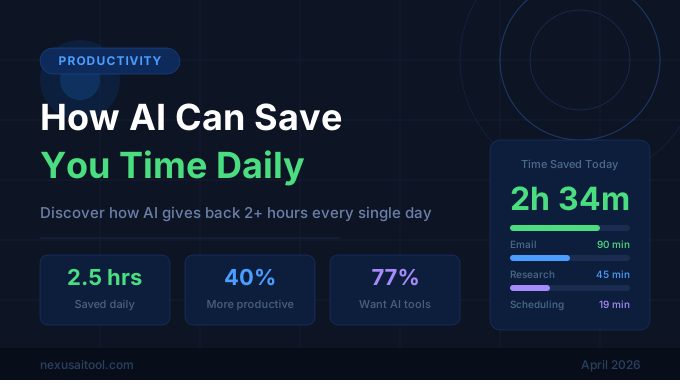
How AI Saves Time at Work: 12 Practical Ways to Reclaim Hours Every Week
Most people approach AI the wrong way. They open a chatbot, ask for something impressive, and then decide whether the whole category is useful based on one answer. That is entertaining, but it is not where the real value comes from.
AI saves time when it removes repeated friction from work you already do every day. It helps when you are rewriting the same kind of email, organizing the same kind of notes, summarizing the same kind of meetings, or starting from a blank page again and again. In other words, the best use of AI is often not dramatic. It is operational.
Think about how many small decisions fill a normal week. You plan agendas, answer messages, clean up wording, summarize documents, outline ideas, turn rough notes into something presentable, and look for missing pieces before sending work to someone else. None of those tasks are necessarily difficult, but they are expensive in aggregate. Ten minutes here and twenty minutes there become hours by Friday.
That is where AI earns its place. It shortens the setup time, reduces context switching, and gives you a faster first draft to react to. You still need judgment, but you do not have to do every mechanical step manually.
1. Drafting emails faster
Email is one of the biggest hidden drains on work time. The issue is not just writing a message. It is deciding on the tone, remembering the context, structuring the response, and double-checking whether it sounds clear.
AI can cut this process down dramatically. You paste the incoming message, explain the goal, and ask for three versions: concise, warm, and formal. Instead of staring at a blank reply box, you are now editing options. That shift from creation to selection is where time disappears in a good way.
This is especially useful for:
- customer support replies
- follow-up emails after meetings
- project status updates
- sensitive messages that need tact
Even if you edit every sentence, starting from a solid draft can save ten to fifteen minutes per exchange.
2. Turning rough notes into polished summaries
A lot of work begins as fragments. Maybe you have bullet points from a call, messy meeting notes, or half-finished ideas typed quickly between tasks. Converting that raw material into something your team can actually use takes time and concentration.
AI is excellent at restructuring messy input. It can turn scattered notes into:
- action items
- meeting summaries
- project briefs
- client recaps
- internal documentation
The real gain is not just speed. It is consistency. When every summary follows a clean structure, your team spends less time decoding what happened and more time acting on it.
3. Summarizing long documents before reading deeply
No one has unlimited attention. Reports, proposals, articles, transcripts, policy documents, and research files pile up quickly. Reading everything line by line is not realistic.
AI helps you triage. Ask for:
- the main argument
- the top five takeaways
- risks or open questions
- decisions implied by the text
- sections worth reading in full
This does not replace careful reading when the document is high stakes. It gives you a map so you can decide where to spend your effort. Instead of burning forty minutes just figuring out what matters, you can move directly to the sections that require your attention.
4. Speeding up meeting prep
Meetings often waste time before they even start. Someone has to gather background, define the objective, identify talking points, and convert all that into an agenda. Then after the meeting, someone has to turn discussion into next steps.
AI can help on both sides.
Before the meeting, it can:
- draft an agenda from your notes
- identify likely questions
- suggest decisions that need owner approval
- summarize relevant prior conversations
After the meeting, it can:
- turn notes into action items
- assign owners and deadlines
- draft a recap email
- extract unresolved issues
That means less administrative drag and more useful meetings.
5. Accelerating first drafts for content and reports
Blank-page energy is expensive. Whether you are writing a blog post, internal memo, sales proposal, presentation outline, or strategy document, getting the first version down often takes the longest.
AI is useful here because it gives you momentum. You can ask it to create:
- an outline based on your goal
- key sections with suggested headings
- alternative intros or conclusions
- a clearer structure for your argument
The point is not to publish raw AI text. The point is to move from zero to something workable in minutes instead of hours. That is often enough to get a stalled task moving again.
6. Reusing knowledge across repeated tasks
Many teams answer the same questions repeatedly. Sales reps explain the same offer, support teams explain the same policy, managers write similar feedback, and marketers rewrite the same positioning in different formats.
AI helps turn repeated knowledge into reusable prompts and workflows. Once you define:
- your tone
- your common objections
- your product context
- your preferred structure
you can generate tailored outputs much faster without starting over each time.
This is one of the biggest reasons AI saves time: it helps teams stop rebuilding the same response from scratch.
7. Cleaning up writing and clarifying language
Sometimes the core idea is already there, but the writing is too long, too vague, too stiff, or too messy for the intended audience. Editing can take as long as drafting, especially when you are tired.
AI can help tighten language by asking it to:
- make the message shorter
- remove repetition
- simplify the wording
- make the tone more executive, friendly, or persuasive
- rewrite for a specific audience
That makes it easier to adapt one piece of writing across multiple contexts. A rough note becomes a polished email. A technical explanation becomes customer-friendly copy. A long draft becomes a two-minute read.
8. Researching faster without losing direction
Research can expand endlessly if you let it. AI is useful because it helps frame the search before you disappear into tabs.
You can use it to:
- identify the main subtopics of a subject
- generate a comparison framework
- create interview questions
- list likely objections or risks
- suggest the best angle for a report or article
The value here is not authority. You still verify important facts. The benefit is acceleration. AI helps you orient yourself quickly so you can research with intention instead of wandering.
9. Creating task checklists and standard operating procedures
Repetitive work becomes faster when the process is clear. AI can take your current workflow and turn it into a simple checklist or SOP that other people can follow.
For example, you can paste your rough process for publishing a blog post or onboarding a new client and ask AI to turn it into:
- a numbered checklist
- a training doc
- a handoff template
- a quality-control review list
This saves time twice. It makes your own work easier to repeat, and it reduces the amount of explanation needed when other people join the process.
10. Helping with spreadsheet and data-adjacent tasks
Not everyone is comfortable with formulas, formatting logic, or repetitive categorization. AI can help explain formulas, suggest spreadsheet logic, clean labels, group feedback themes, and turn exported data into readable summaries.
That does not mean it replaces analysis. It lowers the barrier to doing useful analysis faster. Instead of spending an hour wrestling with formatting or figuring out the right formula, you get a usable starting point in minutes.
11. Supporting customer service and internal support
Support work is full of repetition with slight variation. That makes it a strong fit for AI-assisted drafting.
Teams use AI to:
- draft replies based on policies
- summarize past conversations
- classify ticket types
- suggest next best actions
- create help-center articles from recurring questions
The result is not just faster responses. It is lower mental fatigue. When support teams do not have to reconstruct the same explanations all day, they have more energy for unusual cases that actually need human care.
12. Reducing context switching across the day
This may be the biggest advantage of all. Many workdays feel scattered because people keep jumping between tasks that require different mental modes. You move from planning to writing to editing to summarizing to organizing and back again.
AI acts like a bridge between those modes. It can take a transcript and make a summary. It can take a summary and make an agenda. It can take an agenda and make a follow-up email. Each handoff becomes faster. That means less restart time and less cognitive drag.
Where AI saves the most time
The biggest wins usually share three traits:
- the task happens often
- the structure is somewhat predictable
- the final output still benefits from a human review
That is why AI often works better for drafting, organizing, transforming, and summarizing than for final strategic decisions. It handles the repetitive scaffolding while you focus on quality, nuance, and judgment.
Common mistake: using AI for everything
AI does not save time when it creates extra review work. If a task is highly sensitive, deeply specialized, or easy to do manually in two minutes, AI may add friction instead of removing it.
The right question is not, "Can AI do this?" The better question is, "Will AI reduce the total time from start to high-quality finish?"
That includes:
- prompting time
- editing time
- fact-checking time
- approval time
If the total process is shorter and the quality holds, it is a win.
A practical way to start
Do not begin with a giant AI transformation project. Start with one recurring task that annoys you every week. Pick something measurable, such as:
- writing weekly updates
- summarizing meetings
- drafting client emails
- turning notes into action lists
- outlining content
Use AI on that task for five working days and estimate how many minutes it saves each time. If the result is meaningful, standardize the workflow and repeat the process for a second task.
That is how teams actually reclaim time. Not with hype, but with repeated small wins that stack together.
Final thought
AI saves time best when it is treated like an operations tool, not a magic trick. It shortens the boring middle of work: the formatting, restructuring, summarizing, drafting, and reframing that consume attention without creating proportional value.
When used well, AI does not replace your contribution. It protects it. It clears away low-leverage effort so your time can go toward decisions, relationships, creativity, and problem-solving. That is the real promise: not doing less work overall, but spending more of your workweek on the parts that actually matter.
Time Savings Only Matter When They Compound
The most valuable AI use cases are rarely glamorous. They remove repeated friction from planning, writing, sorting, summarizing, and following up. When each task shrinks by ten or fifteen minutes, the week starts to open up in a way that feels substantial.